The truth is, rest isn’t rest if work keeps chasing you. The solution isn’t working harder before you leave — it’s building systems that keep things moving without you.
In this article, I’ll share how to create a backup plan, document daily operations, and hand over context so you can step away guilt-free.
Creation of a backup plan
The backup plan isn’t about laziness — it’s about protecting your out-of-office time and ensuring business continuity.
After days of stress and potentially sacrificing family or friend time, why should rest come with constant interruptions? Can you truly relax with your laptop open, answering emails while sipping a cocktail or playing with your child at the pool?
So, how do I make sure work keeps moving smoothly while I’m away?
Coming from cybersecurity, I’ll use that world as an example. My goal is simple: if a crisis happens, other leaders, managers, or directors should be able to step in with the right support.
Best case, the team has a lead. Worst case, I’m the only point of contact.
[Context] In a previous role, even though a team lead was in place, C-level executives preferred to step in during major incidents. My aim was to ensure those interventions were as seamless as possible.
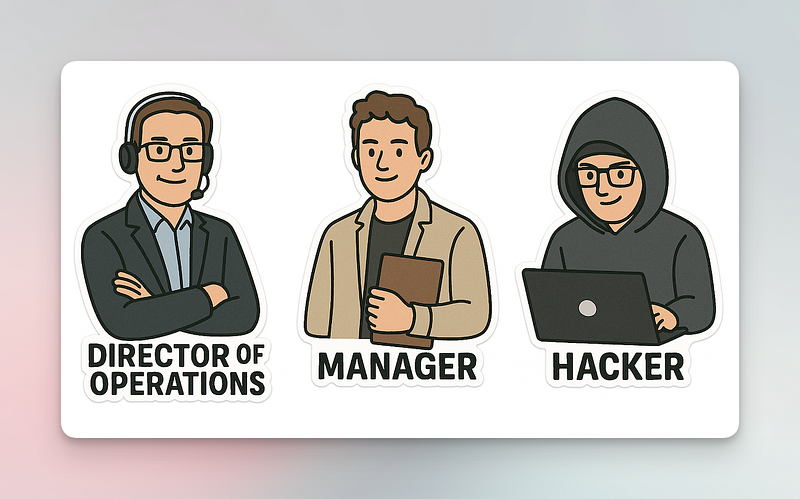
Anyone in cybersecurity knows the pain: explaining an incident to someone outside the field. It’s a bit like teaching rocket science during a rocket launch.
That’s where my system comes in — it’s like GPS for problems. It directs people to the right expert so I don’t have to play firefighter from the beach. 🌴
I would create a document like that:👇
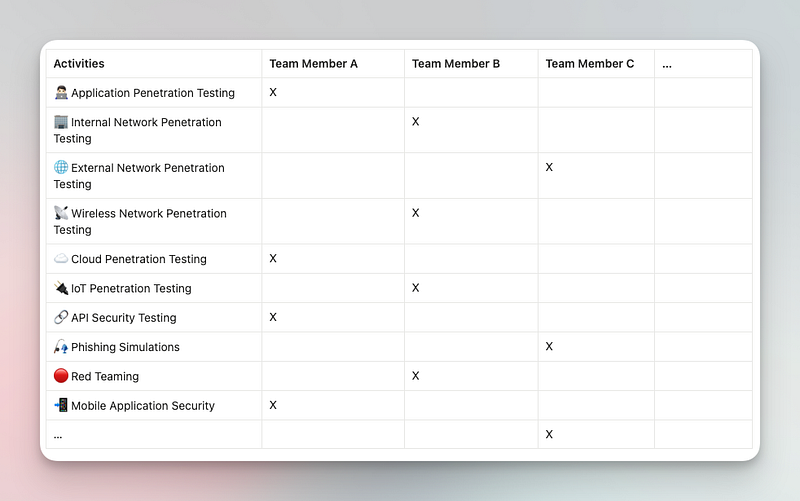
Here’s the logic I follow:
- List all the activities the team is responsible for.
- List all team members.
- Map each activity to a designated lead.
This way, if a question comes up, people know exactly who to turn to for that specific area.
⚠️ Before leaving, make sure the list is reviewed by the team. You don’t want someone to “discover” they’re the lead for a topic they never agreed to handle. Communication is key — especially when you’re not around to clarify things.
Daily Operation Documentation
Now they know who to ask if something’s on fire. But what about everyday operations?
- Someone gets sick,
- A client reschedules a mission,
- The sales team hits a roadblock.
For that, I’d centralize all the key documentation in one place. Building it is simple: ask yourself, “What resources do I use daily? Monthly?” You might not even realize it, but you’re constantly relying on certain documents — so much so that you stop noticing them. Yet they quietly guide and orchestrate your work.
Collecting them in a single reference file is like handing your bookmarks to a colleague. Suddenly, they can step into your shoes without guessing.
It would look like that 👇
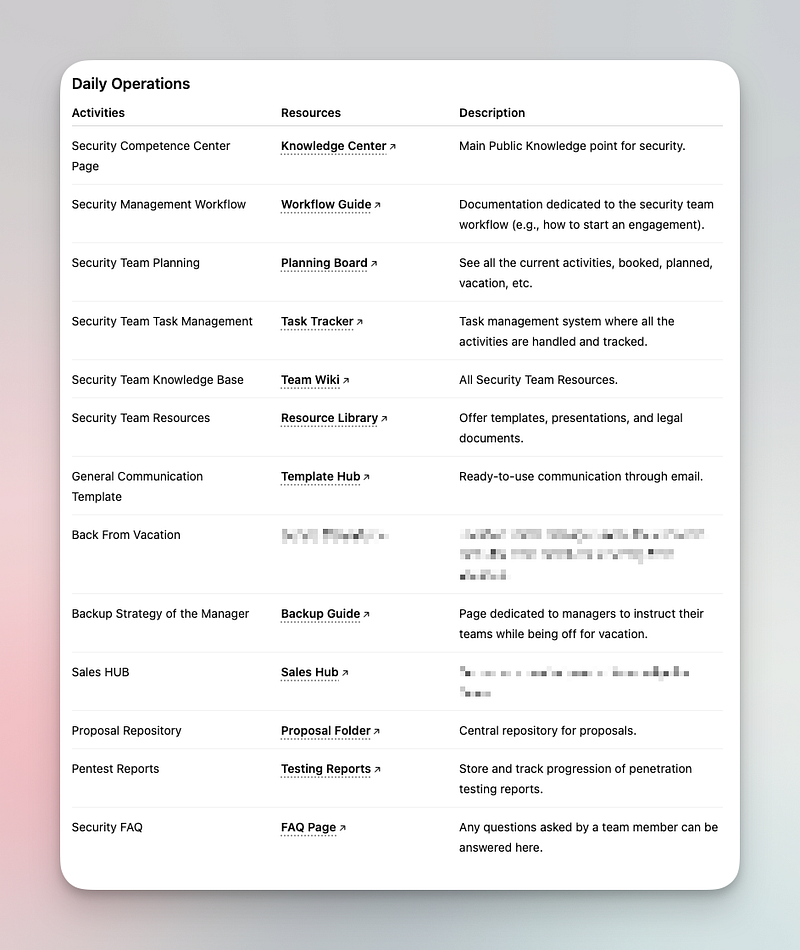
I have on purpose blurred two sections 👀 — Those will become new articles on two concepts of my conceptions, the Sales Hub and the Back from Vacation Documentation.
Know your Context
Another way to ensure that your phone won’t ring during your personal time, is to properly communicate on your context.
You know those topics that you think about in your car, public transport or even your shower? All the things that keep your mind busy, write it down.

See it as a “purification mission”🧘 before your vacation. What are your current tasks, things that you worry about, last email conversation, last Teams, Zoom, Gmeet, etc.. A great way I found to not miss too much of my context is simply to:
- Go over my past 2–3 weeks calendar
- Go over 1–2 weeks after my vacation
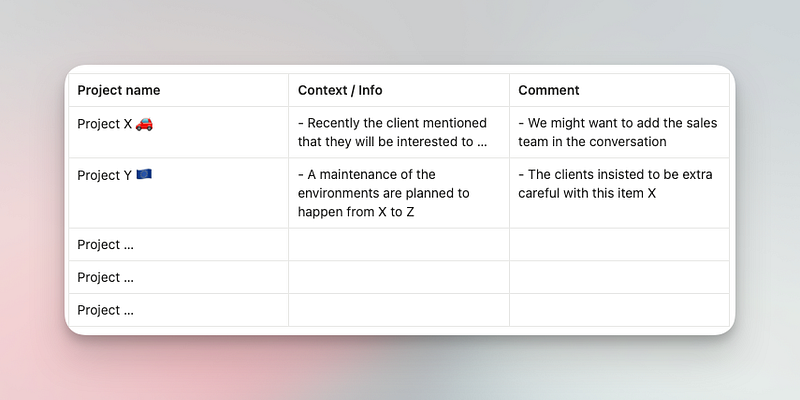
- Review the planning and project by project craft a small comment.
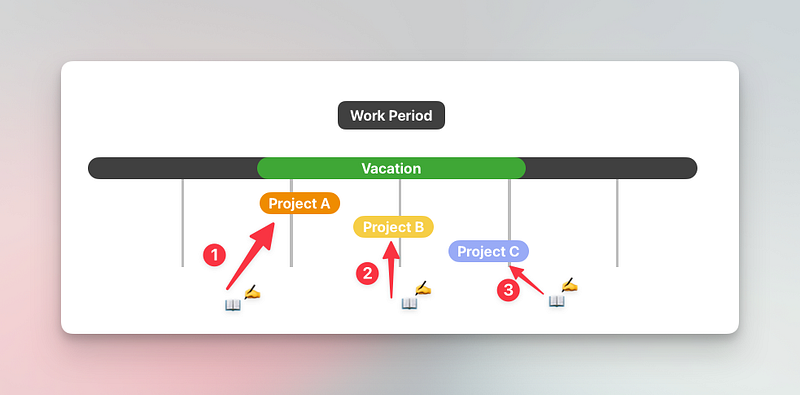
The idea is that you will share enough visibility on each of your activities to not let a big question mark ❓in the middle of the room. I would personally let a note like that:
Conclusion
Taking time off shouldn’t feel like a gamble or a burden. By building a clear backup plan, documenting daily operations, and sharing the context that lives in your head, you give your team the tools to move forward without you.
This isn’t about stepping away because you don’t care. It’s about caring enough to make sure things run smoothly whether you’re present or not. When you prepare in advance, you protect your team’s flow and your own ability to recharge.
So the next time you pack for a trip, don’t bring your laptop “just in case.” Instead, bring confidence in the systems you’ve set up. That way, you can finally enjoy your time off — knowing your work is in good hands.